
Guide
Wardogs: How to Play Cassette Tape in Vehicles
Discover how to play cassette tape in Vehicles, either a ground vehicle or an aerial vehicle in Wardogs.

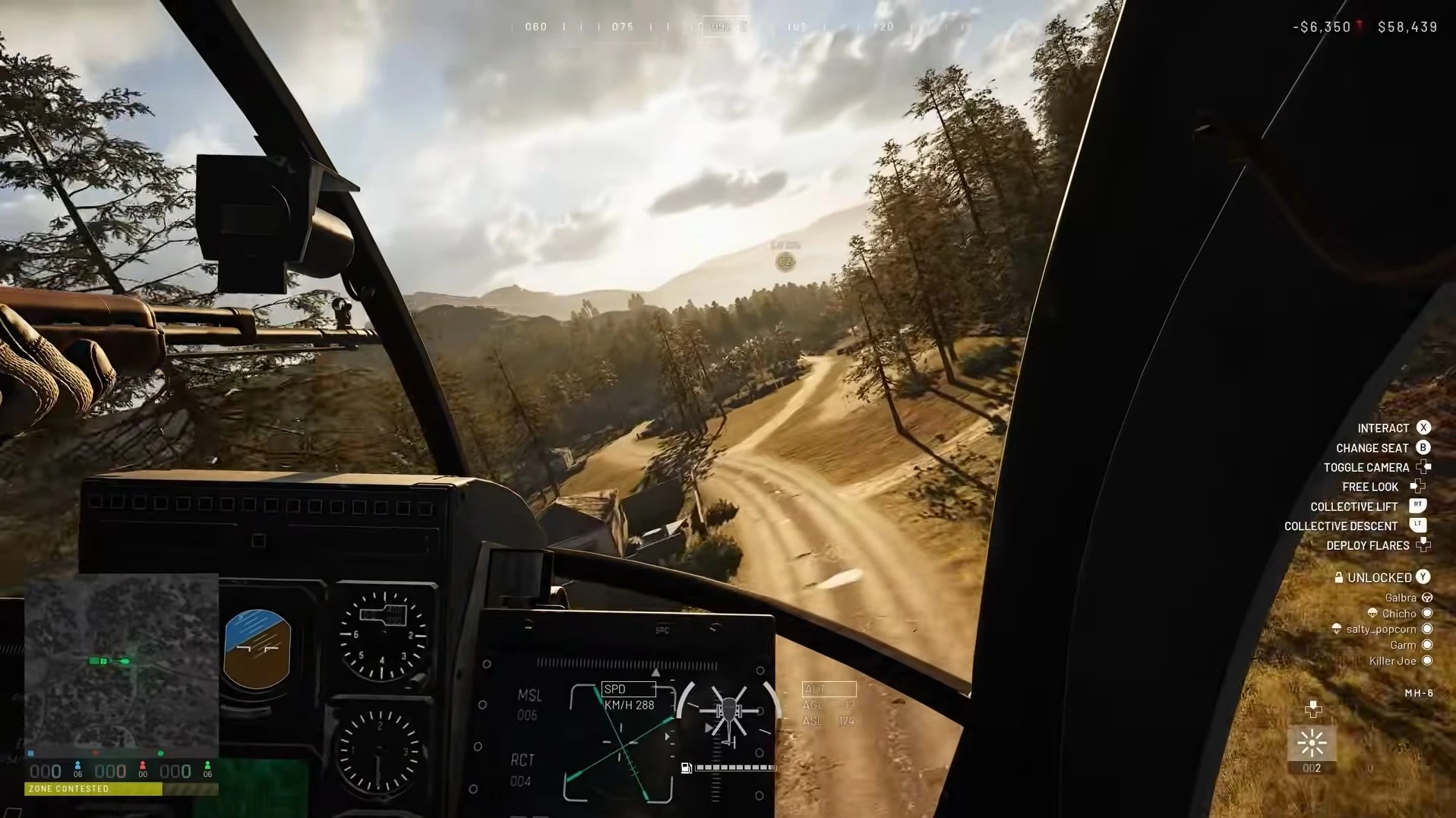
Wardogs can be a chaotic experience, especially inside the Control Zone, as all three factions fight each other to secure points. Although fighting in the zone can be deadly and has a chance of leaving you dead with a loss, it does not mean that you can’t have some fun. One of the great ways to have some fun or unite with your fellow faction members is to play music in a vehicle, either a heli or a car. If you are driving or flying to the control zone with music on, it can make your experience better. In this guide, we will explain how to play cassette tapes in vehicles in Wardogs.
How to Play Cassette Tapes in Vehicles in Wardogs
Cassette Tapes, or Music Tapes, are one of the unlockables that you unlock by leveling up the Driver and Pilot skills in Wardogs. Like every other thing that you unlock, you have to pay a one-time fee to unlock the music tapes after reaching the respective level. There are a number of music tapes that unlock at different class levels, so the ones you have paid for will be available to purchase in the match.
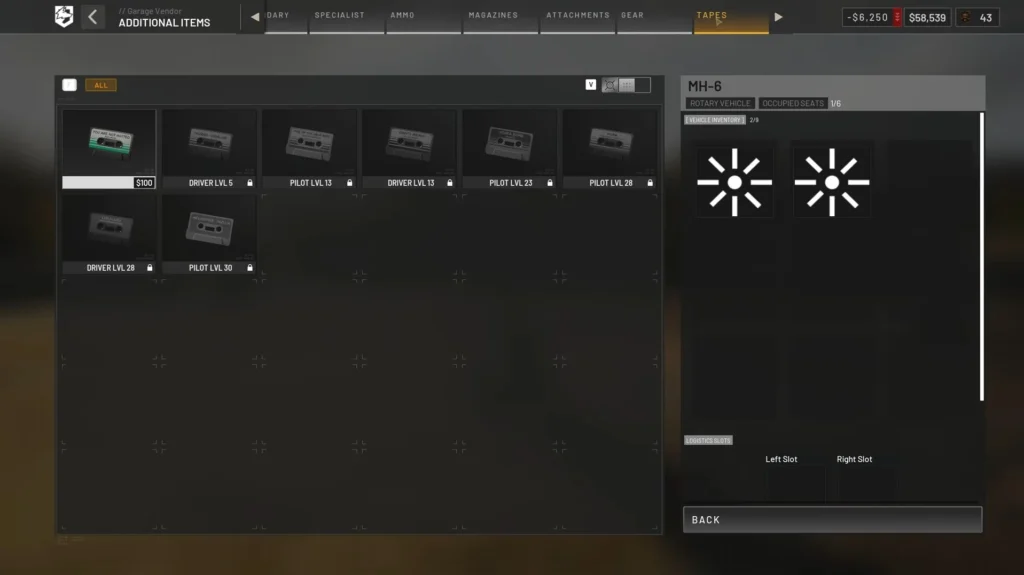
Now, to play the cassette tapes during the match, follow these simple steps.
- Head over to the vehicle vendor and buy a car or a helicopter.
- Get into the driver’s seat of the vehicle.
- Press B to open a shop for ammo and supplies.
- Select the “Items” tab at the bottom.
- Navigate all the way to the right in the Additional Items section to find the “Tapes” tab.
- Purchase the tape you want to play.
As you purchase the tape, it will be added to the vehicle’s inventory. To play the cassette tape, press the F (interaction) key, scroll to find the “Play Cassette” option, and then select it.
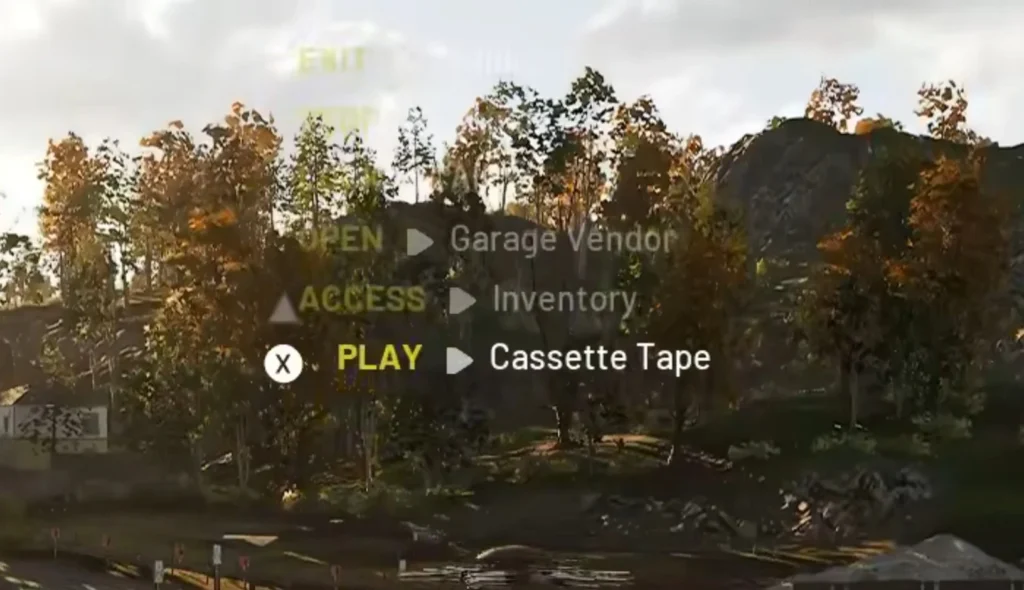
This should play the cassette tape in your vehicle, which other players can hear too. You can give them a ride in your car or heli while listening to the music, which makes the whole experience and interactions better.







Castlevania Belmont’s Curse: How to Unlock Sonia Style Costume

Castlevania Belmont’s Curse: How to Solve the Secret Giant Organ Puzzle – War & Famine Weapon


